

Asterism · Model Context Protocol
Use seven Asterism Studios from your AI client
Asterism runs one remote MCP server for Document, Design, PDF, Sheet, Slide, Markdown and HTML. Your AI client can create work, edit what you own, save it, reopen it, and export a finished file — with access limited to its guest workspace or the account permissions you grant.
The MCP endpoint
The account address is shown when configured. When guest entry is available, the live service provides its guest address here.
https://mcp.asterism.one/mcp
Live status is read from the Asterism deployment when available.
Connect a client
Use a client that supports remote MCP over Streamable HTTP. When the guest address is available, it starts a new isolated guest workspace without sign-in. Account workspaces use the account address and OAuth approval.
Add a remote MCP server in your client using the address shown above.
For a guest address, ask the client to start a new guest workspace; no Asterism login or connection approval is needed.
To access existing account work, use the account endpoint and approve the requested access.
What the seven Studios do
These are the Studio capabilities in Asterism. Guest access currently covers Document and Design when enabled; account grants show their permitted access.
-
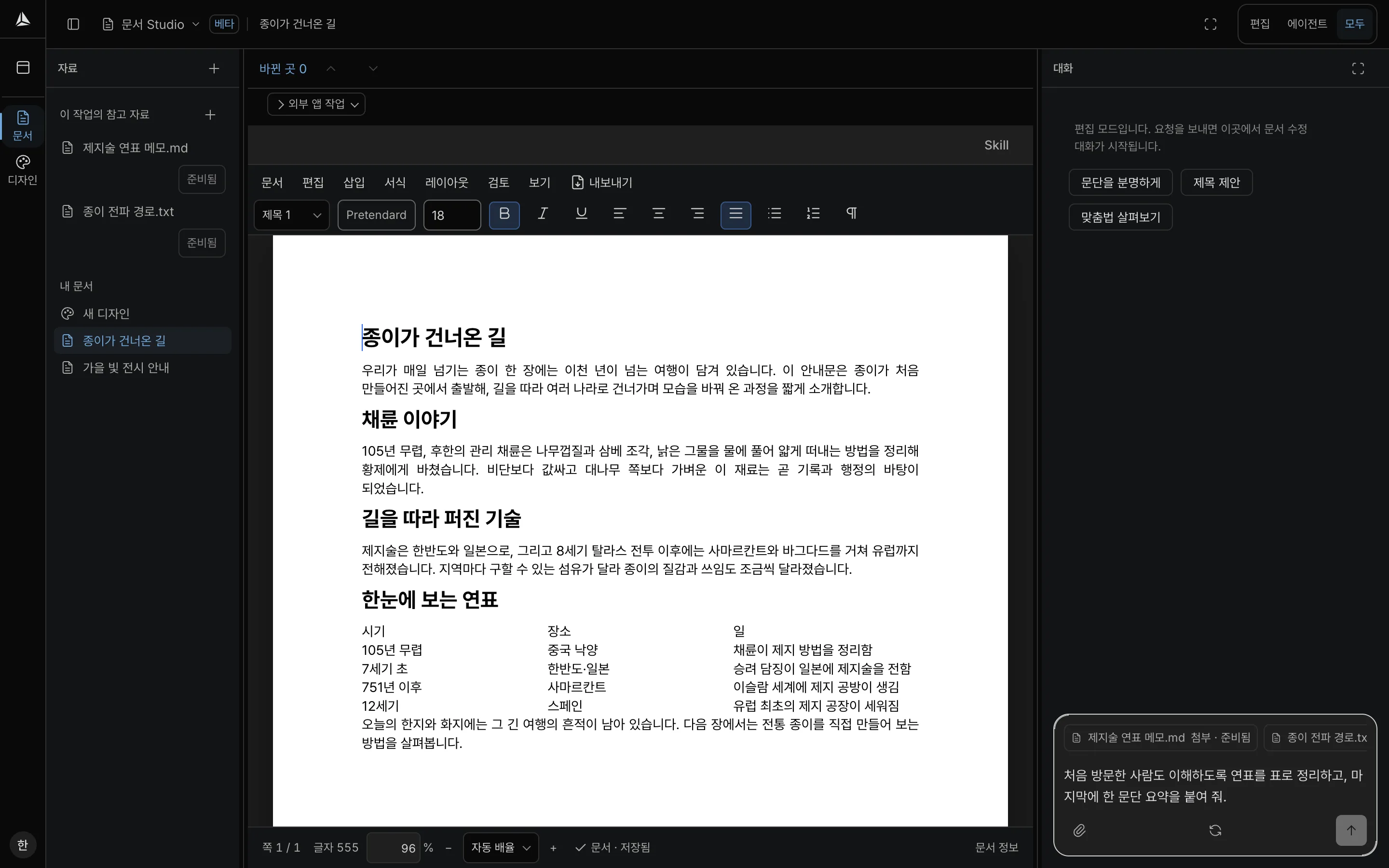
Document
DOCXWrite and structure long-form documents with headings, tables and references.
Create a document, read or search it, edit paragraphs and tables, save, reopen and export DOCX.
-
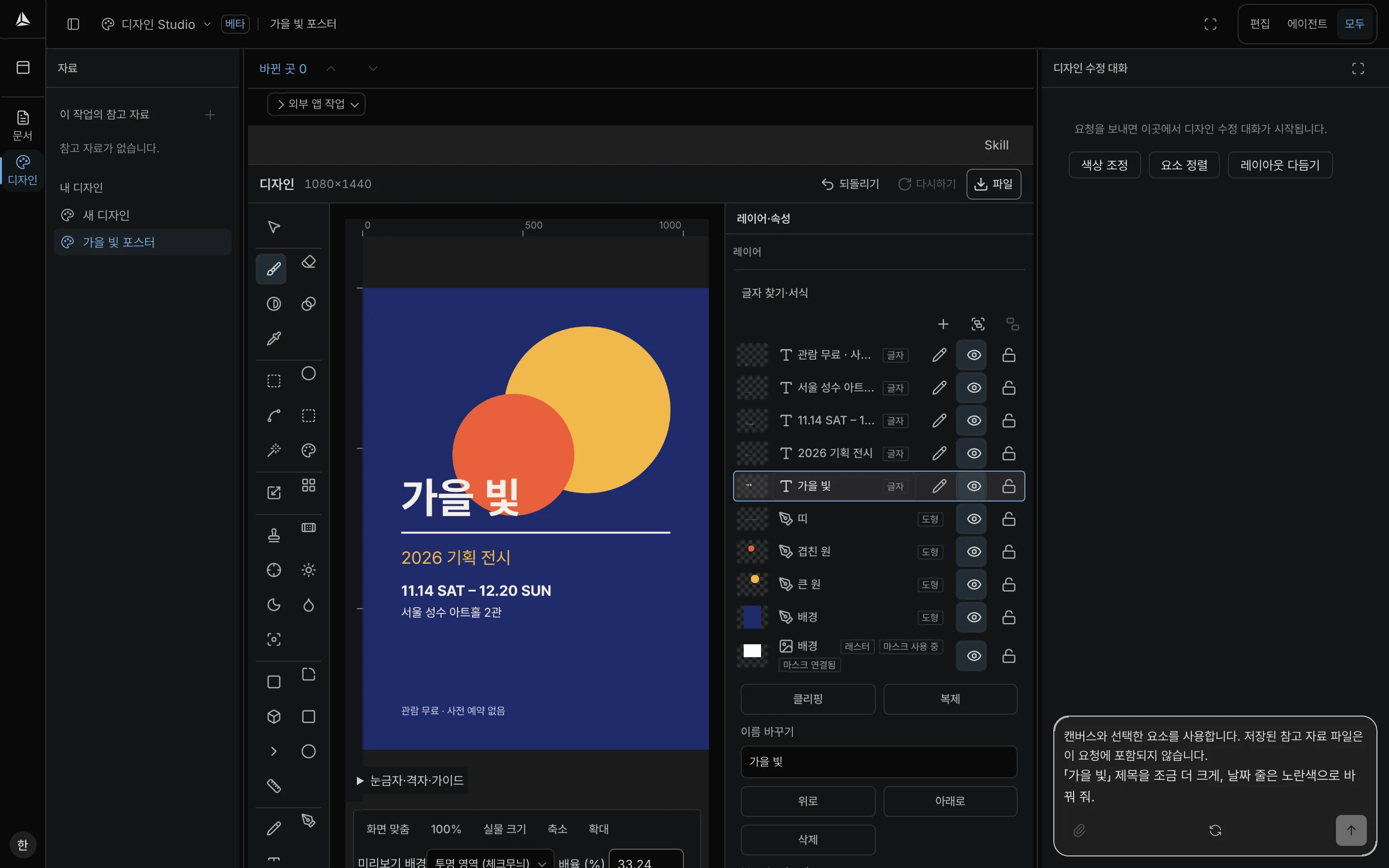
Design
PNGArrange raster and vector layers on one canvas.
Create a design, inspect layers, edit shapes and text, save, reopen and export PNG.
-
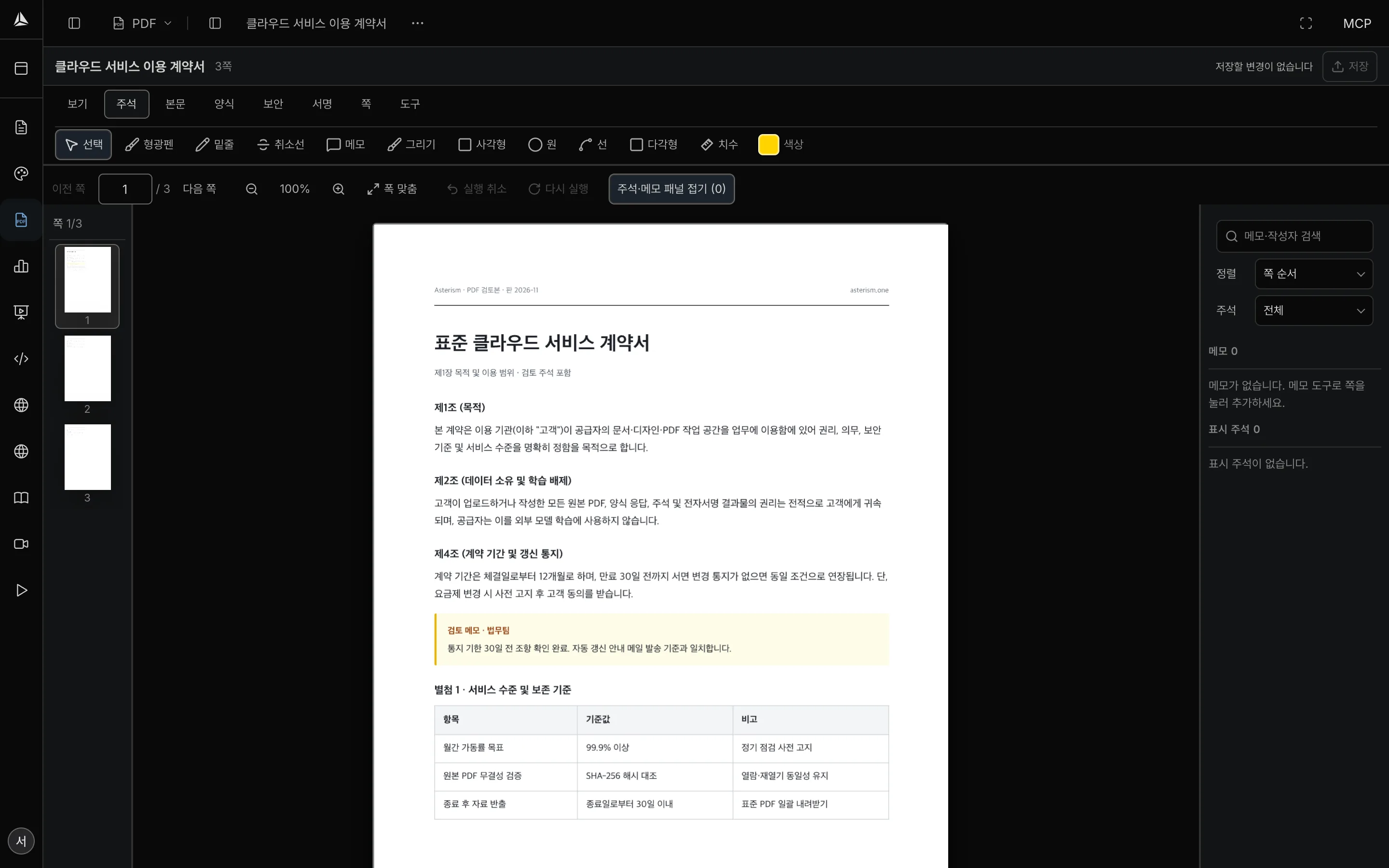
PDF
PDFRead and annotate PDF pages without losing the original structure.
Open a PDF, search text, add or update annotations, save, reopen and export a PDF that keeps annotations.
-
Sheet
XLSXWork with cells, formulas and structured spreadsheet data.
Create a sheet, read ranges, edit cells and formulas, save, reopen and export XLSX.
-
Slide
PPTXBuild presentation decks with slides, layout and text.
Create a deck, read slides, edit text and layout, save, reopen and export PPTX.
-
Markdown
MDKeep notes, documentation and README content in clean Markdown.
Create Markdown, read and search headings, edit blocks, save, reopen and export MD.
-
HTML
HTMLEdit the text and structure of web pages.
Create an HTML page, read and search content, edit text and structure, save, reopen and export HTML.
The live list shows enabled Studios; account access also depends on the permissions granted.
Guest, account and ownership
Guest workspaces
The guest endpoint creates a new isolated workspace without signup or a connection approval screen. Work is temporary; use the optional browser handoff and confirm transfer to keep it in an account.
Accounts
An account keeps its Studios, documents and connections across sessions. A connection can only reach work owned by the identity that approved it.
Scopes and per-Studio modes
OAuth scopes are granted per Studio as read, write or AI access. A connection can be read-only, read-write, restricted to selected Studios, or revoked at any time. Existing tokens never gain new scopes automatically.
Internal AI and credits
Direct edit tools work without calling Asterism internal AI. AI actions are optional, require the AI scope for that Studio, and use the internal AI path; they consume the credits available to the workspace under its current plan and policies.
Account access requires approval
The consent screen lists the client, the requested Studios and the access levels. Asterism does not treat a connection as permission for another workspace, and a saved client registration is not an authorization until a person approves it.
Privacy and control
MCP requests use scoped workspace credentials and the same ownership checks as the product. Asterism does not put document contents, prompts or credentials into the public discovery page. Review the privacy policy and terms, or contact support, before connecting a workspace that holds sensitive material.
Availability
Guest availability is shown above. Account access depends on the permissions granted.