HTML
When you edit the source,
the preview changes at once.
Edit the HTML source and the preview updates at once. Show the preview on the left and the source on the right in split view to check both together.
A proposal · 1990
Today's workspace
- Editing tools
- Preview document
- View tabs

View, edit, and check at once.
View source and preview together.
In split view, the preview is on the left and the HTML source is on the right.
Edit the source.
When you edit the source, the preview redraws at once.
Switch views to check.
Choose the preview, split, or source tab to see the result.
<h2>Spring tasting notice</h2>Spring tasting notice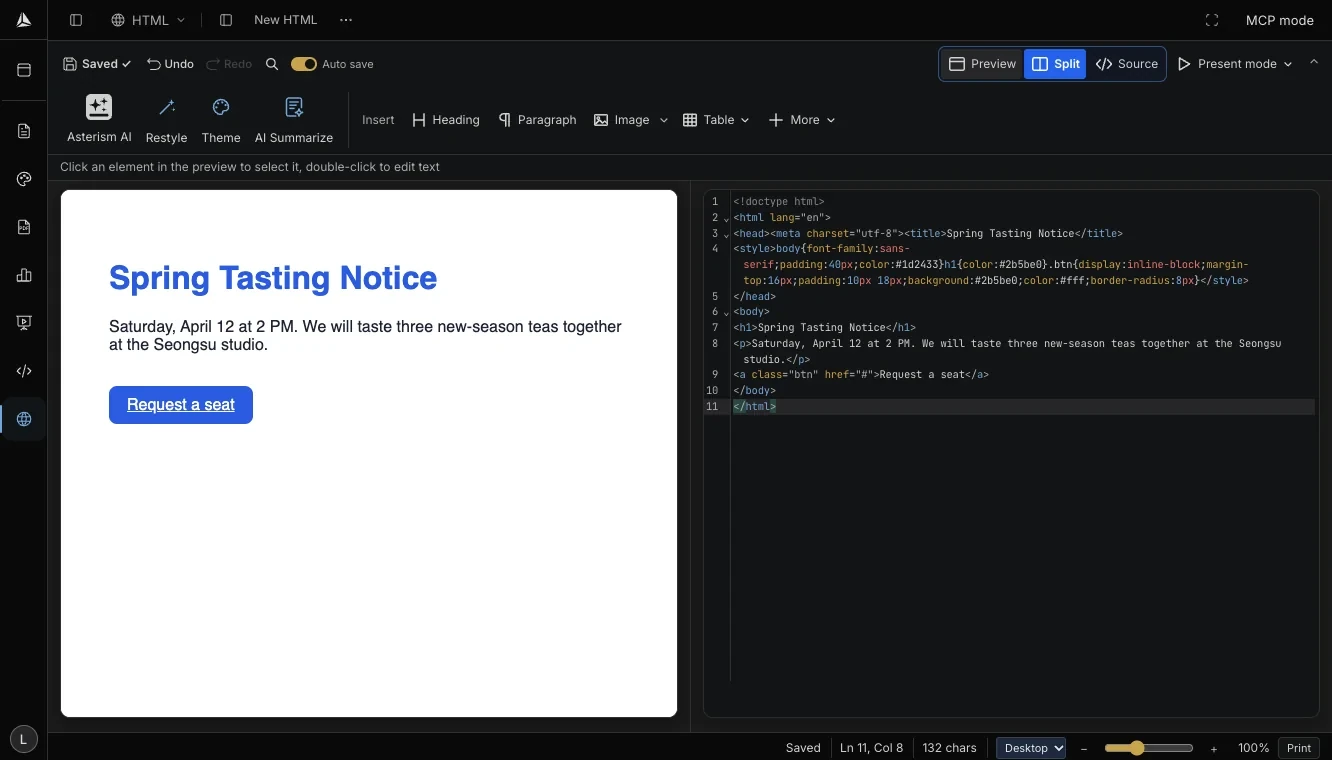
When you edit the source,
the preview changes at once.
- Split view
- Show the source and preview side by side.
- Edit the source
- When you edit the source, the preview redraws at once.
- View tabs
- Choose the preview, split, or source tab to read it.
Vague but exciting…
Vague, but exciting…
As the first page was written after that one line, edit the source today and the page changes at once.
Get Started